Picking the right monitor is the single biggest improvement most builders make to their setup. This guide breaks down OLED vs mini-LED vs IPS, resolution targets, refresh rates and the specifications that actually matter in 2026.
Of every component in a gaming PC, the monitor is the one you actually look at. You can swap a CPU or GPU every few years, but a good display will outlast two or three builds and shape every minute you spend at your desk. In 2026, the monitor market has finally caught up with what enthusiasts have been asking for: 4K at high refresh rates, OLED panels at sane prices, ultrawide options that work for both gaming and productivity, and mini-LED implementations that deliver genuine HDR rather than the marketing fiction of years past. The trade-offs are no longer about whether you can have brightness and speed and contrast — it is about which compromises you are willing to accept and what your GPU can actually drive at your target frame rate. This guide walks through the panel technologies, the resolutions that make sense, and the specific monitors worth buying at each price tier, with the spec details and real-world caveats you need to make the right choice the first time.
What matters in a gaming monitor in 2026
Five specifications matter more than anything else: panel type, resolution, refresh rate, response time, and HDR performance. Everything else — bezels, stand quality, USB hubs, KVM features — is secondary. Panel type defines the look and feel of the image. IPS panels still dominate the mid-range with their accurate color and viewing angles, typically delivering 350 to 500 nits and 1000:1 contrast. VA panels offer deeper blacks (3000:1 contrast or higher) but slower pixel response that can smear in fast motion. OLED — whether QD-OLED from Samsung Display or WOLED from LG Display — delivers near-infinite contrast, sub-millisecond response, and the best motion clarity of any technology on the market. Mini-LED is the IPS counter-attack, layering thousands of local-dimming zones behind an LCD to push HDR brightness past 1500 nits.
Resolution choice should follow your GPU. A 4K monitor paired with a midrange card is a waste; you will run at 1440p upscaled and never see the panel’s full sharpness. The current sweet spots are 1440p at 27 inches (109 PPI) and 4K at 32 inches (138 PPI). Refresh rate determines smoothness — 144Hz is the new baseline, 240Hz is the competitive standard, and 360Hz to 540Hz exists for esports professionals chasing milliseconds. Response time, measured GtG (grey-to-grey), is mostly resolved on modern panels but still varies wildly between marketed and actual figures; trust independent measurements, not marketing decks. HDR is where many monitors fail despite the sticker: anything below 600 nits sustained and ten-bit color depth is essentially fake HDR. Real HDR1000 or HDR True Black 400 (OLED) is what you want. Pair any of this with the right GPU to drive your chosen resolution and you will be set for years.
Best 1080p gaming monitor under $250
1080p is no longer the default resolution for new builds, but it remains the right choice for budget gaming, secondary displays, and competitive players who want maximum frame rates from modest hardware. At 24 to 27 inches, 1080p delivers 92 to 81 PPI — visibly less sharp than 1440p, but acceptable at normal viewing distance and easy on any GPU. The top picks in this tier are the LG 27GP750-B (240Hz IPS, 1ms GtG, around $230) and the AOC 24G15N (180Hz IPS at 24 inches, around $170 on sale). Both deliver fast response, FreeSync Premium, and reasonable color accuracy out of the box.
Avoid VA panels in this price bracket — the smearing on fast-moving content is too noticeable, and the budget VA implementations tend to be the worst. Skip any monitor advertising “1ms MPRT” without an IPS or OLED rating; MPRT is a backlight-strobe measurement that introduces flicker and dims the panel by 30 to 50 percent. Look for IPS or fast-IPS labels, ideally with a GtG figure under 4ms in independent testing. Adaptive sync support (FreeSync or G-Sync Compatible) is now table-stakes at this price — any monitor without it should be dismissed.
For competitive shooters where every frame counts, 1080p at 240Hz still beats 1440p at 144Hz for raw response, especially when paired with an entry-level gaming build. The lower resolution means your GPU can sustain full refresh rate without compromise, and the smaller pixel grid is easier to track at high motion speed. Just remember: once you go above 1080p in daily use, you rarely go back, so think of this tier as either a budget gateway or a dedicated competitive setup rather than a long-term sweet spot.
Best 1440p gaming monitor: the sweet spot
1440p (2560x1440) at 27 inches is the sweet spot for 2026 gaming. The PPI is high enough that pixels disappear at normal viewing distance, the refresh rates available are excellent (144Hz to 360Hz), and the GPU demand is manageable on anything from an RTX 4070 or RX 9060 XT upward. This is the resolution most enthusiasts settle on, and it is where the panel market is the most competitive. IPS remains the dominant technology here, with the LG 27GR75Q (165Hz, 1ms GtG, around $300) and the Dell G2724D (165Hz IPS, around $320) being the standout value picks. Both deliver factory-calibrated color, low input lag, and gaming features like FreeSync Premium and G-Sync compatibility.
For higher refresh rates, the LG UltraGear 27GR95QE (240Hz WOLED, around $700) and the Samsung Odyssey OLED G6 (360Hz QD-OLED, around $850) bring OLED motion clarity at 1440p without the eye-watering 4K OLED premium. These panels deliver around 250 nits sustained brightness in SDR and around 1000 nits peak HDR — bright enough for any indoor environment but not ideal for sunlit rooms or south-facing windows without blinds. The QD-OLED variants generally produce more vivid color with a glossier finish; WOLED has better anti-glare coating but slightly less saturation in the deep reds and greens.
Either choice will leave a 165Hz IPS panel looking flat by comparison, especially in dark scenes where OLED’s per-pixel dimming is impossible to match — a starfield, a night-time game scene, or any HDR cinematic content. The contrast difference is not subtle. Budget around $300-$400 for a top-tier IPS or $700-$900 for an entry-level OLED, and you will have a monitor that lasts through several GPU upgrades. Avoid the temptation to overspend at 1440p; the marginal returns above $1000 in this resolution tier are minimal, and that money is better saved for a future 4K upgrade.
Best 4K gaming monitor for high-end builds
4K (3840x2160) gaming has finally crossed into mainstream viability. A 32-inch 4K panel delivers 138 PPI — the same visual density as a 27-inch 1440p, but with massively more screen real estate and the kind of sharpness that makes 1440p look soft once you have adjusted to it. The catch is GPU demand. Native 4K at 144Hz pushes even an RTX 5080 in modern titles; for sustained ultra settings, you want an RTX 5080, RTX 4090, or RX 9070 XT minimum, and DLSS/FSR upscaling becomes almost mandatory rather than optional. With those caveats acknowledged, the panel options are excellent.
For tech-magazine coverage of new display standards and reference content, i-actu (broader tech news from France) is a useful complement to our buyer’s testing.
The Samsung Odyssey OLED G80SD (32-inch 4K QD-OLED at 240Hz, around $1300) and the LG 32GS95UE (32-inch 4K WOLED at 240Hz with dual-mode 1080p at 480Hz, around $1400) are the marquee OLED options. The LG’s dual-mode capability is particularly clever — switching to 1080p quadruples the refresh rate for competitive sessions, then back to 4K for everything else. For mini-LED, the Asus ROG Swift PG32UQX has been replaced by the PG32UQXR (32-inch 4K IPS mini-LED at 160Hz with 1152 dimming zones, peak 1400 nits, around $1500) — the brightest HDR experience on the market and the best choice for bright rooms or HDR purists who refuse to compromise on sustained luminance.
For better value, the Gigabyte M32U (32-inch 4K IPS at 144Hz, around $550) and Innocn 32M2V (32-inch 4K mini-LED at 160Hz, around $700) deliver 90% of the experience at less than half the price. The Gigabyte in particular has become the default value pick for 4K gaming, with a usable KVM switch and a stand that actually adjusts properly. Just remember that 4K monitors are only as good as the high-end PC build that drives 4K well — pair a 4K 240Hz OLED with an RTX 4070 and you will spend most of your time disappointed by frame rates, dropping to 1440p upscaling, and wondering why you spent the extra money.
Best OLED monitor: QD-OLED and WOLED options
OLED is now the dominant premium gaming panel technology, and the 2026 generation has resolved most of the concerns that held it back. Burn-in mitigation has come a long way: Samsung and LG both offer three-year burn-in warranties on their gaming OLEDs, pixel refresh cycles run automatically, and modern panels include logo-detection algorithms that dim static UI elements. For typical mixed-use gaming and work — Discord, browsers, the occasional spreadsheet — burn-in is no longer a meaningful risk over a normal monitor lifespan, provided you let the panel run its maintenance cycles.
The QD-OLED panels (Samsung Odyssey OLED G6 at 1440p 360Hz, G7 at 4K 240Hz, G80SD at 4K 240Hz) deliver the most vivid color and the glossiest screen finish, but they are slightly more reflective in bright rooms. The WOLED panels (LG UltraGear 27GR95QE at 1440p 240Hz, 32GS95UE at 4K 240Hz) use a different subpixel structure that handles text rendering slightly better and includes a matte anti-glare coating. Dell’s Alienware AW3225QF (32-inch curved QD-OLED at 4K 240Hz, around $1200) remains one of the best-value premium OLEDs.
The genuine OLED weakness in 2026 is sustained full-screen brightness — around 250 nits in SDR, well below the 400+ nits a mini-LED IPS will sustain across the entire screen area. In dark rooms this is irrelevant, but in a sunlit office with windows behind you, an OLED can feel dim and reflections will be more visible on glossy QD-OLED finishes. For HDR, peak brightness in small highlights reaches 1000 nits or more thanks to per-pixel control, which is more than enough for proper HDR impact in cinematic content and most games.
Beyond brightness, the other consideration is text fringing. WOLED panels use a WRGB subpixel layout that some users find produces slightly fuzzy text edges; QD-OLED uses a triangular RGB layout with similar effects. Both are improving with each generation and ClearType tuning largely solves the issue in Windows. Pair an OLED with a dim or controlled-lighting environment, accept that text-heavy work will look slightly different than on an IPS, and it is genuinely the best gaming experience money can buy in 2026.
Best ultrawide and super-ultrawide monitors
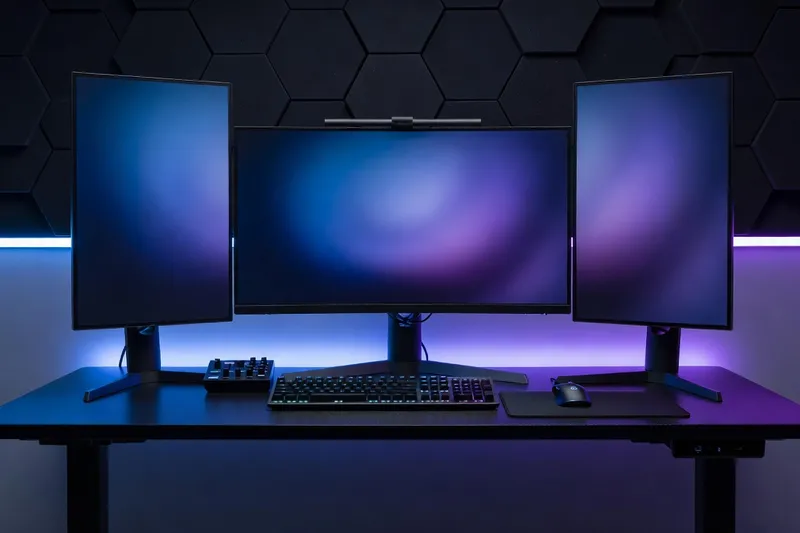
Ultrawide monitors trade competitive FPS suitability for immersion and productivity. A 34-inch 21:9 (3440x1440) panel delivers roughly the same vertical screen space as a 27-inch 1440p with 33% more horizontal room — superb for racing sims, cinematic single-player games, and any work that involves multiple windows side by side. The LG 34GS95QE (34-inch WOLED at 240Hz, around $1000) and the Samsung Odyssey OLED G8 (34-inch QD-OLED at 175Hz, around $850 on sale) are the standout choices. For mini-LED at lower cost, the Innocn 34D1U (34-inch IPS mini-LED at 240Hz, around $700) delivers proper HDR brightness with strong color accuracy.
Super-ultrawide 32:9 panels (5120x1440 or 7680x2160) replicate the experience of two 27-inch monitors merged into one curved display. The Samsung Odyssey OLED G9 G95SC (49-inch DQHD QD-OLED at 240Hz, around $1500) is the reference choice for desk presence and immersion, while the newer Neo G9 G95NC (57-inch 7680x2160 mini-LED at 240Hz, around $2200) pushes the format to true 4K-equivalent vertical resolution. These displays are not for everyone — the curvature is aggressive (1000R on most models), competitive games often crop the image to 16:9 and waste the side panels, and the desk space required is significant (a 49-inch ultrawide needs at least a 60-inch desk to sit comfortably).
For productivity-heavy users who also game in genres where peripheral vision matters — sims, RPGs, strategy, MMOs — nothing else matches the experience of a super-ultrawide. Match the monitor to the games you actually play, not the games you wish you played, and never buy a 32:9 panel as your only display unless you have confirmed your favorite titles support the aspect ratio properly.
How to choose: a decision framework
Pair your new display with the right machine — our PC build guide for 2026 covers the GPU and CPU tier that matches each monitor class.
Once your display, GPU and CPU are sorted, a stable platform matters too — our best motherboard guide for 2026 covers chipset and feature picks across both vendors.
Work in this order: resolution target, refresh rate, panel type, then budget. First, decide your resolution based on your GPU. If you have an RTX 4060, RX 7700 XT or below, pick 1080p or 1440p — you will not drive 4K usefully. If you have an RTX 4070 to 4080 or an RX 9070, 1440p at 144-240Hz is your sweet spot. If you have an RTX 4090, RTX 5080 or above, 4K at 144-240Hz is now realistic. Second, pick your refresh rate based on game genre. Competitive shooters benefit from 240Hz and above; single-player cinematic gaming is perfectly served by 144-165Hz; mixed-use gamers should aim for 165-240Hz as a balanced target.
Third, pick your panel technology based on environment and budget. OLED for dim or controlled lighting and the absolute best image quality. Mini-LED for bright rooms or HDR enthusiasts who need sustained brightness. IPS for budget builds or anyone who keeps a monitor for many years and worries about long-term wear. VA only for ultrawide curved panels where the contrast advantage outweighs the response time penalty. Fourth, set a realistic budget: $250-$350 for a quality 1440p IPS, $500-$700 for a 4K IPS or entry mini-LED, $800-$1000 for a 1440p OLED, $1200-$1500 for a premium 4K OLED or mini-LED. Pair your final pick with a complete gaming build sized to the resolution and refresh rate you have chosen, and the result is a setup that punches well above the sum of its parts — and lasts far longer than the GPU inside the case.