
After building hundreds of client PCs, a system integrator sees the same mistakes repeated constantly. In this interview, they break down the real-world decisions that separate a build that lasts five years from one that's obsolete in eighteen months.
Introduction
Marcus Chen has spent 12 years running a boutique custom PC build shop, assembling everything from budget office rigs for small businesses to six-thousand-dollar workstations for video editors and 3D artists. In that time, he estimates he’s built or repaired somewhere north of eight hundred systems — enough repetition to see exactly where clients consistently go wrong, and exactly what separates a build that ages gracefully from one that’s obsolete before the warranty even expires.

We spoke with Marcus about the decisions that matter most when a client walks in with a budget and a vague idea of what they want. If you’re weighing your own next build against your current setup, his framework pairs well with our own complete PC build guide for 2026.
Q: What’s the most common mistake you see in client custom builds?
Budget allocation, hands down. A client comes in having already decided on a specific flagship GPU because a YouTuber told them it’s the best card available, and then they want to spend as little as possible on everything else — case, PSU, storage, even the CPU sometimes. That’s backwards. The GPU is important, but it’s not the only thing determining whether the system is stable, quiet, and still working in three years.
I had a client last year who insisted on a $900 GPU paired with a $45 power supply from a brand I’d never heard of, in a $60 case with two stock fans and no exhaust. I walked him through exactly why that combination was a problem — insufficient transient response on cheap PSUs under GPU load spikes, inadequate airflow for a 320W card — and we reallocated: same GPU, $130 PSU from a reputable brand, $110 case with better airflow. Total cost barely changed because we trimmed elsewhere, but the system’s reliability profile completely changed.
The pattern I see over and over is clients treating the GPU as the “real” purchase and everything else as an afterthought, when in reality the PSU, case airflow, and motherboard VRM quality are what determine whether that GPU actually performs reliably and for how long.
Q: How do you actually help a client decide between upgrading their current PC and building new?
I start with the platform, not the individual components people usually want to talk about first. The two questions that matter are: does the current motherboard’s CPU socket still receive new chip releases, and does the platform support current-generation standards — PCIe 4.0 or 5.0, DDR5 memory. If both answers are yes, targeted upgrades almost always make financial sense. Swap the GPU, add RAM, maybe upgrade storage, and you’ve extended the system’s useful life for a fraction of a new build’s cost.
Rule of thumb I use with clients: if your platform is more than two CPU generations behind and still running DDR4, a new build usually wins on cost-per-year of useful life, even though the upfront number is bigger.
If the platform is genuinely dated — say, a motherboard that maxes out at DDR4 and a CPU socket that’s been discontinued for two generations — then upgrading components piecemeal becomes a trap. You’ll spend money on a GPU upgrade only to discover the CPU bottlenecks it, then spend more on a CPU only to discover the motherboard doesn’t support the chip you actually want, and you end up buying a new platform anyway after already spending on a GPU that may or may not carry over cleanly.
The financial math I walk clients through: total the realistic cost of a meaningful upgrade path over the next 12-18 months, and compare it honestly against 70-80% of a full new build’s cost, since some components — case, storage, sometimes the PSU — usually do carry over regardless of which path you take.
Q: How do you approach budget allocation across components for a client build?
| Component | Typical share of budget | Where clients under-allocate |
|---|---|---|
| GPU | 30-40% | Rarely — usually over-allocated |
| CPU + motherboard | 20-25% | Motherboard VRM quality specifically |
| Power supply | 8-12% | Almost always under-allocated |
| Case + cooling | 10-15% | Frequently under-allocated |
| Storage + RAM | 15-20% | Occasionally under-allocated on RAM capacity |
That table is a starting point, not a rigid formula — a workstation build for video editing shifts weight toward RAM and storage, while a pure gaming build shifts toward the GPU. But the pattern holds across almost every client conversation: people intuitively want to spend more on the parts they can see benchmarked in reviews, and less on the parts that quietly determine reliability.
I always walk through the PSU wattage math explicitly with clients rather than assuming they’ll trust a number. Add up the GPU’s rated TDP, the CPU’s TDP, then add roughly 150W of headroom for everything else — storage, fans, motherboard, RGB if they’ve got it — and that’s your minimum PSU wattage. I round up to the next common wattage tier from there, and I always spec 80 Plus Gold or better from a manufacturer with a strong reputation, never the cheapest unit that technically meets the wattage number.
Q: What do clients consistently underestimate when planning a build?
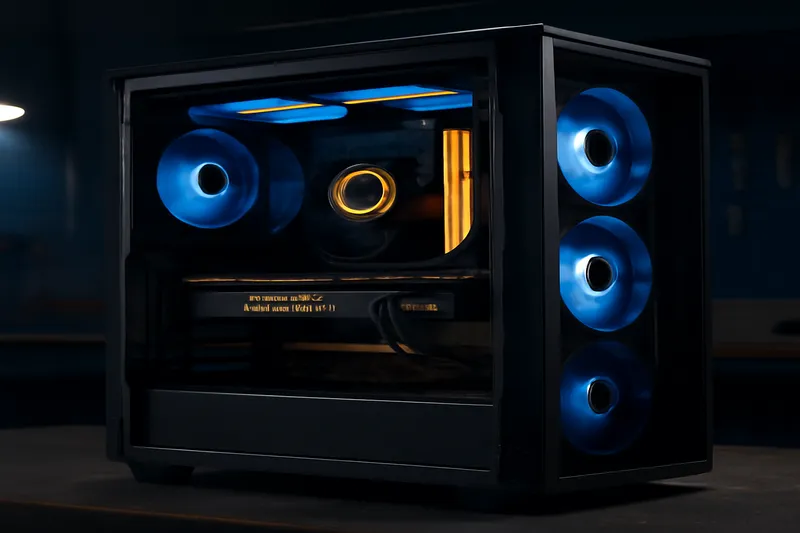
Noise, first and foremost. Clients see benchmark numbers and thermal charts, but almost nobody asks what the system sounds like under sustained load until after it’s sitting on their desk. A build that hits impressive frame rates but runs its fans at 2000 RPM under load is going to be a daily annoyance in a home office environment, and that’s something I now proactively address before a client even asks.
Second is future upgrade headroom — specifically case size and PSU wattage margin. Clients optimize hard for their exact current needs and don’t leave room for a GPU upgrade two years down the line that might be physically larger or draw meaningfully more power. I always spec at least one case size up from the tightest fit, and I build in PSU headroom for a GPU upgrade, not just the GPU they’re buying today.
Third, and this surprises people every time: cable management and internal component placement affect long-term dust accumulation and therefore long-term thermal performance. A cleanly built system with good airflow paths stays cooler for years; a cramped, poorly routed build accumulates dust in ways that measurably raise temperatures within 18-24 months, well before most people think to clean their case internals.
Q: What’s your take on warranty and support — DIY versus a system integrator?
This depends entirely on what the client values. If someone enjoys the research process, has time to verify component compatibility, and is comfortable troubleshooting their own hardware issues, building it themselves is the right call — it’s cheaper and genuinely educational. I never discourage a client from that path if it’s what they want.
Where a system integrator earns their margin is in two places: diagnosis time and unified support. When something goes wrong in a DIY build, the client has to figure out whether it’s the GPU, the PSU, the motherboard, or a driver conflict, often across multiple manufacturer support lines. When I build a system, I stand behind the whole assembly — if something’s wrong, they call me, I diagnose it, and if it’s a component failure I handle the RMA process myself. For a business client whose employee needs a working workstation, that unified support model is worth real money in avoided downtime.
I’ll be direct about one thing: a system integrator’s premium should track roughly 10-15% over parts cost for a standard build, more for complex custom loop cooling or specialized workstation configurations. If a shop is charging 30%+ over parts with no meaningful support difference, that’s not reflecting genuinely added value.
Q: How do you future-proof a build for 5+ years without overspending today?
Future-proofing is mostly about avoiding platform dead-ends, not maximizing every spec today. I prioritize a motherboard chipset with a documented multi-generation CPU upgrade path, DDR5 memory even if the client doesn’t need the full capacity yet, and a PSU with at least 20% wattage headroom above the current build’s requirements.
I explicitly do not recommend overspending on a GPU today “to future-proof” — GPU performance-per-dollar improves fast enough that a mid-range card now, replaced in 3 years, usually beats overspending on a flagship today and running it for 6 years. The platform underneath — motherboard, PSU, case — is where future-proofing dollars are genuinely well spent, because those components don’t depreciate in relative performance the way GPUs do.
Storage is the other quiet future-proofing decision. I always spec more NVMe capacity than the client thinks they need, because storage needs grow faster than almost any other component category, and upgrading storage later means migrating an OS install or reconfiguring a RAID array — friction that a slightly larger drive avoids entirely upfront.
Q: What are the red flags you tell clients to watch for when buying a prebuilt PC?
- No named power supply brand or wattage listed explicitly in the specification sheet
- A GPU that's a noticeably older generation than the CPU it's paired with, suggesting inventory clearance rather than a coherent build
- RAM listed only by total capacity with no speed or configuration (single stick vs. dual channel) specified
- A case with no stated airflow design or fan configuration beyond "RGB fans included"
- Storage listed as a single drive with no distinction between the OS drive and additional capacity
Any one of these alone isn’t necessarily disqualifying, but two or more together usually means the builder prioritized a headline GPU spec and cut corners everywhere else — exactly the imbalance I spend most of my client consultations correcting after the fact.
Q: What’s a build mistake you see even experienced hobbyists make?
Experienced builders tend to make a different category of mistake than first-timers — they know the components well, but they underestimate how component choices interact as a system. The one I see most often is pairing a high-end air cooler or a large AIO radiator with a case that technically fits it on a spec sheet but doesn’t have adequate exhaust to actually move that heat back out of the chassis. The cooler does its job pulling heat off the CPU, but if the case can’t exhaust it, ambient case temperature climbs over a sustained session and every other component runs hotter than it should.
What I tell experienced clients: a cooler is only as good as the case's ability to remove the heat it's collecting. Check exhaust fan count and radiator clearance together, not the cooler's rated TDP capacity in isolation.
The second pattern among hobbyists is chasing a specific benchmark number — frames per second in one particular game, or a synthetic score — and building the entire budget allocation around maximizing that single metric. It usually means undervaluing storage speed, RAM capacity, or PSU headroom in ways that don’t show up in the benchmark they’re chasing but do show up in day-to-day usability once the system is actually in daily use for more than gaming.
I also see experienced builders skip documentation of their own build — no record of exact model numbers, BIOS settings, or fan curve configurations. When something needs troubleshooting eighteen months later, they’re reverse-engineering their own past decisions instead of consulting a build log. It’s a small habit that saves real time later.
Key takeaways checklist
- Allocate PSU and case budget proportionally — don’t let the GPU eat the entire budget.
- Evaluate upgrade-vs-new based on platform generation (socket, PCIe version, memory standard), not just current performance.
- Budget PSU wattage as GPU TDP + CPU TDP + 150W headroom, rounded up to the next common tier.
- Leave case size and PSU wattage headroom for a future GPU upgrade.
- Never compromise on the PSU brand or the motherboard VRM quality to save money elsewhere.
- Don’t judge a prebuilt PC by GPU model alone — check PSU brand, RAM configuration and case airflow.
- Don’t assume a system integrator’s premium is justified without a clear, unified support and diagnosis benefit.
Before locking in your own component list, our curated gaming PC builds for every budget apply the same allocation logic Marcus describes, and our best CPU buyer’s guide breaks down the platform-generation question in more technical detail. If you’re weighing a laptop instead of a desktop for your next build, our laptop buying guide covers the equivalent upgrade-versus-new decision for portable systems.
Marcus also builds systems for creative coding and demoscene hardware needs on occasion — clients experimenting with real-time rendering and generative visuals, a niche covered in more technical depth at mattcurrent.org. For businesses managing a fleet of client workstations rather than a single build, the lifecycle discipline Marcus applies mirrors enterprise asset lifecycle planning as covered at maximo-users.net.
Frequently asked questions
How do I know if I should upgrade my PC or buy a new one?
Start with the platform, not the individual parts. If your motherboard and CPU socket support a meaningful GPU or RAM upgrade path, targeted upgrades usually win on cost. If your platform is more than two CPU generations behind and lacks PCIe 4.0 or DDR5 support, a full new build is often more cost-effective long-term.
What’s the most common mistake first-time custom PC buyers make?
Overspending on the GPU and underspending on the power supply and case airflow. A high-end GPU paired with a cheap PSU and poor case ventilation is a common and preventable reliability risk.
Is it worth paying a system integrator vs building it myself?
If you enjoy research and troubleshooting, DIY saves money and teaches you the system. A system integrator earns their value through unified diagnosis and support — one call instead of juggling multiple manufacturer warranty lines when something fails.
How long should a well-built custom PC realistically last?
A well-specced build should deliver 5 to 7 years of useful life with one mid-life GPU upgrade around year 3. Cheaping out on the PSU or motherboard VRM typically cuts that lifespan closer to 3 years.
What component should never be cheaped out on?
The power supply. A cheap PSU failure can take other components down with it, and the cost difference between a mediocre and a quality unit is small relative to the risk it removes.
Closing thoughts
Marcus’s framework keeps coming back to the same principle: the parts nobody photographs for a build showcase — the PSU, the case airflow, the motherboard VRM — are exactly the parts that determine whether a build survives to see its fifth birthday. Get those right, and the flashier component choices become much lower-stakes decisions.
If you’re ready to spec out your next build with this budget allocation logic in hand, our gaming PC builds for every budget and full PC build guide are the natural next stops.