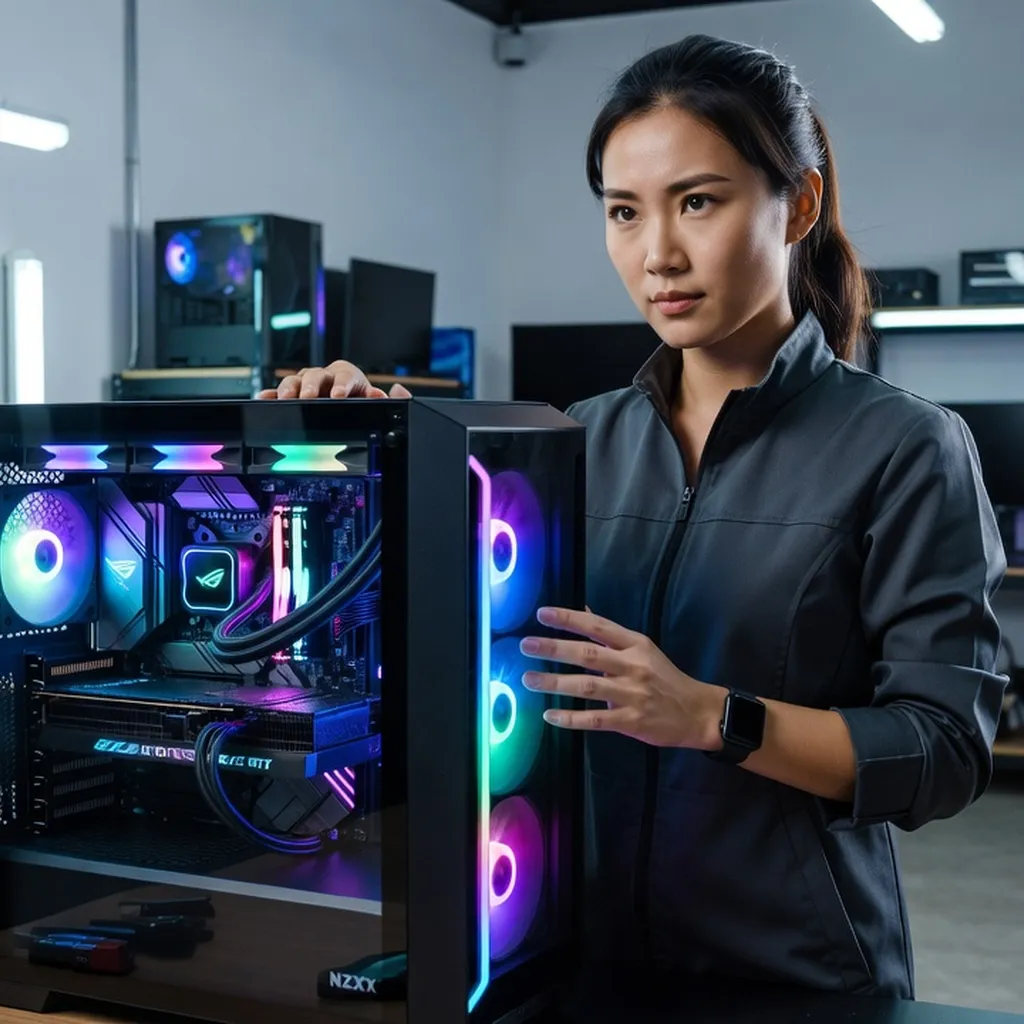
Competitive PC building is part art, part engineering, and part budget chess. Sarah Chen, a three-time international competition winner, reveals the unexpected choices that separate champion builds from YouTube builds — and why the best PC isn't always the most expensive one.
Introduction
Sarah Chen, a 31-year-old RF engineer by day and a formidable force in the competitive PC building scene by night, has carved her niche in the world of custom PC modding. With a trio of prestigious wins under her belt, including the Computex Modding Showdown 2024, Bitfenix Show & Tell EU Final 2025, and ASUS ROG Build Battle 2026, Sarah combines technical precision with an artistic flair that sets her apart from her peers. Her builds are not just machines; they are masterpieces, each telling a unique story. In the fast-paced world of competitive modding, where the slightest oversight can mean the difference between victory and obscurity, Sarah’s approach is both methodical and inventive.
If you are starting from zero, work through our complete PC build guide for 2026 alongside Sarah’s tips for the best results.
She advocates for a philosophy that prioritizes coherence and thoughtful design over sheer horsepower. Sarah’s journey through the competitive circuit offers valuable insights into the art and science of PC building, where every cable, component, and color scheme plays a crucial role. Today, we dive into her mind to uncover the secrets behind her success, her personal preferences, and her candid thoughts on the evolving landscape of PC building.
Q: What are the judging criteria for competition builds, and how do you approach them?
Judging in competitive PC building is a multifaceted process, typically focusing on several key aspects: aesthetics, innovation, functionality, and coherence. Aesthetic appeal is often the first thing judges notice, but it’s also about how well the design aligns with the theme and how it speaks to the viewer. Innovation is crucial—judges look for creative use of materials, unique configurations, or new techniques that push the boundaries of what a PC can be.
Builders interested in the wider PC modding scene often follow industry coverage at i-actu (broader tech news from France) for Computex and CES showcase reports.
Many of Sarah’s part-selection principles inform our own curated gaming PC builds for every budget, with reference builds from $800 to $2,200.
Functionality can’t be overlooked; a build might look stunning, but if it doesn’t perform well thermally or acoustically, it loses points. Coherence, which is sometimes underrated, ties everything together. It’s about ensuring that every element of the build works harmoniously, from the color scheme to the component choices.
I approach these criteria with a balanced mindset. My builds start with a concept or story, which informs every decision, from hardware to aesthetic elements. For instance, in my ASUS ROG Build Battle 2026 entry, I took a minimalist approach, focusing on a sleek, futuristic design that complemented the high-performance internals. I used the ASUS ROG Strix Z790-E motherboard for its robust feature set and aesthetic appeal, ensuring that function met form. It’s about creating a seamless experience where the machine is not just a collection of parts but a unified whole.
Q: Why do you believe coherence beats raw spec in a build?
When it comes to PC building, coherence often outshines raw specifications because a well-integrated system performs better overall. It’s like having a team where every player knows their role perfectly, rather than just having a bunch of superstars who can’t play well together.
Raw specs can be impressive on paper, but if components don’t work in harmony, you’re likely to face issues such as thermal throttling, unstable performance, or even a lackluster aesthetic. For example, pairing an Intel Core i9-13900K with a mid-range cooler might not leverage the CPU’s full potential due to thermal constraints. A coherent build considers how each part complements the other, ensuring that the CPU, GPU, cooling solution, and even the power supply unit are well-matched.
In my experience, a balanced build is more reliable and offers a smoother user experience. In competitions, judges are often more impressed by a system that runs efficiently and looks cohesive than one that simply boasts the highest-end components. In the Bitfenix Show & Tell EU Final 2025, I opted for a Ryzen 7 5800X paired with a Noctua NH-D15 cooler. This setup wasn’t the most powerful on paper, but it was extremely efficient and complemented the build’s aesthetic and functional goals. Coherence makes the system greater than the sum of its parts.
Q: Why do you prefer mid-range components over flagship models?
Mid-range components offer an excellent balance of performance, value, and longevity, which is why I often favor them over flagship models. Flagship components are designed to push the boundaries of performance, but they also come with significant drawbacks: high cost, increased power consumption, and often, diminishing returns in real-world applications.
Take the NVIDIA GeForce RTX 4070, for example. It provides excellent performance for most gaming and productivity tasks at a fraction of the cost of an RTX 4090. Similarly, AMD’s Ryzen 5 7600 offers robust multi-core performance that suffices for both gaming and content creation, without the premium price tag of its higher-end siblings.
Choosing mid-range components allows more flexibility in budget allocation for other crucial aspects of the build, like cooling, storage, or even aesthetic enhancements. This approach is particularly advantageous in competitive environments where overall coherence and creative use of resources are judged. By selecting mid-range hardware, I can focus on optimizing other parts of the system, ensuring better thermal management and reliability.
In my Computex Modding Showdown 2024 entry, I used an AMD Radeon RX 6700 XT, which provided ample gaming performance while allowing me to allocate funds towards high-quality cables and custom cooling solutions. This approach resulted in a build that was both competitively priced and visually stunning, proving that mid-range can be the sweet spot for performance and creativity.
Q: What is your approach to cable management?
Cable management is more than just tidying up; it’s an art form that impacts both the aesthetic and functional quality of a build. Good cable management not only ensures a cleaner look but also improves airflow, which is crucial for maintaining optimal temperatures and system stability.
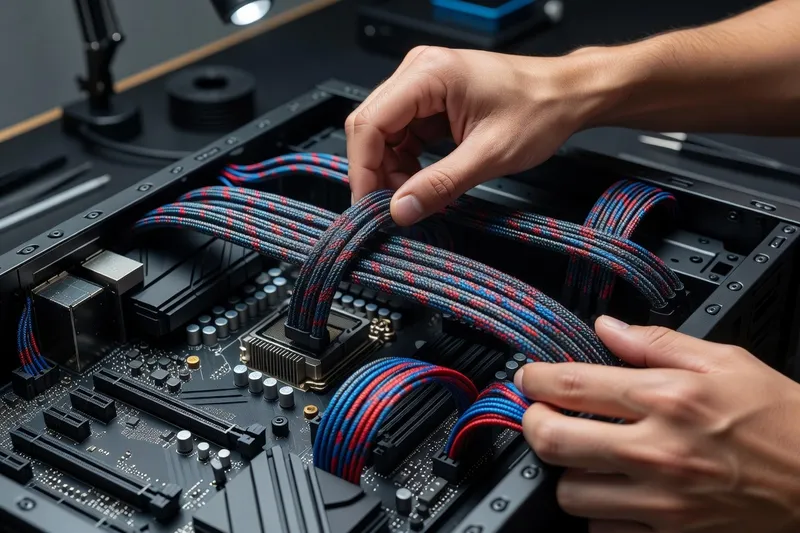
The first step in effective cable management is planning. Before assembling, I map out where each cable will go, considering the case design and component placement. I often use modular power supplies, like the Corsair RM850x, which allow me to use only the cables I need, reducing clutter significantly.
Next, I focus on using the right tools and accessories. Velcro straps and cable combs are my go-to for keeping cables organized and aligned. For competitive builds, I often opt for custom sleeved cables from brands like CableMod. These not only enhance the visual appeal but also provide greater flexibility, making them easier to route through tight spaces.
One of my key tricks is to utilize the case’s cable management features. Many modern cases, such as the Lian Li PC-O11 Dynamic, come with dedicated channels and tie points for cables. I use these features extensively to keep everything neat and out of sight.
In essence, effective cable management requires attention to detail and a bit of creativity. It ensures that the focus remains on the build’s design and performance, rather than a nest of tangled wires.
Q: How do you handle thermal paste application and refresh?
Applying thermal paste might seem trivial, but it’s a crucial step in building a high-performance PC. The paste ensures efficient heat transfer between the CPU and its cooler, which directly affects thermal performance and longevity.
I follow a methodical process when applying thermal paste. First, I always clean both the CPU and cooler surfaces with isopropyl alcohol to remove any old paste or debris. For application, I prefer the “pea-size” method, where a small dot of paste is placed in the center of the CPU. This allows for even distribution when the cooler is mounted. Brands like Arctic MX-4 are my go-to for their excellent thermal conductivity and longevity.
Refreshing thermal paste is a task that’s often overlooked but can dramatically affect performance. I recommend checking and potentially reapplying thermal paste every 12 to 18 months, especially if temperatures start to rise unexpectedly. During competitions, where the stakes are high, I ensure that the paste is fresh to avoid any thermal throttling.
It’s important to use just the right amount; too much paste can lead to spillage and potential shorts, while too little can cause poor thermal contact. This balance is particularly vital in competitive builds where every degree counts. In my ASUS ROG Build Battle 2026 entry, meticulous attention to thermal paste application helped maintain optimal temperatures under load, contributing to the build’s overall stability and performance.
Q: What is the 80/20 of case selection for you?
The 80/20 rule in case selection is about finding a balance between aesthetics, functionality, and future-proofing, while ensuring the case meets 80% of your core requirements with 20% of the effort. For me, this means focusing on a few key features: airflow, build quality, and expandability.
A case with excellent airflow is non-negotiable; it impacts the thermal performance of the entire system. I look for cases with ample fan mounts and mesh panels, like the Fractal Design Meshify C, which provide superior cooling options. Build quality is another priority. A sturdy case with a well-thought-out design can drastically reduce assembly time and frustration.
Expandability is the third focus. A good case should offer room for future upgrades, such as additional drives, larger GPUs, or enhanced cooling solutions. This is where features like modular drive cages and space for larger radiators come into play.
Ultimately, a great case should complement the components inside and align with the build’s aesthetic vision. For example, in the Bitfenix Show & Tell EU Final 2025, I chose the NZXT H510 for its minimalist design and excellent cable management options, which supported the clean, modern look I was aiming for. By focusing on these core elements, I ensure that the case serves the build’s needs efficiently, allowing me to concentrate on other creative aspects.
Q: Why do you say ‘less is more’ when it comes to lighting?
In the world of PC building, RGB lighting can easily go from stunning to overwhelming. My philosophy of “less is more” stems from the belief that lighting should enhance, not overpower, the build’s design. It’s about using light to highlight specific components or complement the overall theme without distracting from the system’s core aesthetics.
Sarah’s mid-range component philosophy lines up with the value picks in our best CPU buyer’s guide for 2026 — flagship is rarely the right call for a real-world build.
Sarah’s restraint with lighting tracks closely with what we recommend in our own PC build guide for 2026, where coherence over flashiness is the underlying principle.
I start by deciding the purpose of the lighting. Is it to accentuate a particular component, like the GPU, or to create an ambient glow that ties the whole build together? Once that’s established, I select a color scheme that aligns with the build’s theme. Subtle, monochromatic lighting often works wonders, creating an elegant and cohesive look.
When selecting components, I favor those with built-in lighting that can be centrally controlled, such as ASUS Aura Sync-compatible parts. This ensures that effects are synchronized and not clashing. I also limit the use of RGB strips to strategic locations, avoiding a chaotic light show.
In my Computex Modding Showdown 2024 entry, I used subtle white lighting to highlight the custom water-cooling loop and the internal structure, creating a sophisticated contrast against the black and chrome components. This approach ensures that the lighting enhances the build’s design rather than detracting from it.
Ultimately, thoughtful lighting can elevate a build significantly, creating a visually stunning system that captivates without overwhelming the senses.
Q: What are your favorite cases under $200?
Several cases under $200 offer excellent features and build quality without breaking the bank. The Fractal Design Meshify C is a personal favorite due to its exceptional airflow and minimalist aesthetic. It’s versatile enough for various builds, providing ample room for larger GPUs and cooling solutions.
Another standout is the NZXT H510. It combines a sleek design with excellent cable management features, making it ideal for those who prioritize a clean, organized look. Its tempered glass side panel showcases the build beautifully, and it’s a great canvas for both minimal and more elaborate designs.
The Phanteks Eclipse P400A is also worth mentioning. It offers superb airflow with its mesh front panel and includes RGB lighting that’s tastefully integrated. The build quality is robust, and it supports a wide range of components, making it a versatile choice for both entry-level and more advanced builds.
Each of these cases provides a solid foundation for a build, balancing aesthetics with functionality. They are proof that you don’t need to spend a fortune to get a high-quality case that meets the demands of both performance and design. In competitive settings, where every detail counts, these cases offer the flexibility and features necessary to create a standout build.
Q: What’s your take on sleeved cables and custom extensions?
Sleeved cables and custom extensions are more than just a visual upgrade; they’re a statement of craftsmanship and attention to detail. They transform the look of a build, adding a level of polish that can significantly enhance its aesthetic appeal. For me, they are an essential part of creating a visually cohesive and professional-looking system.
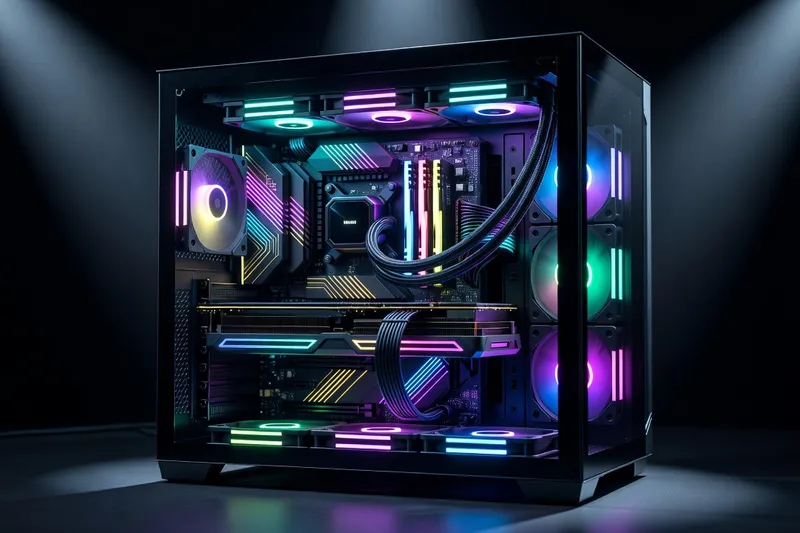
High-quality sleeved cables, like those from CableMod, offer a range of colors and patterns that can be tailored to match the build’s theme. This allows for a seamless integration where even the cables contribute to the overall design narrative. The flexibility of these cables also aids in better cable management, allowing for tighter bends and cleaner lines.
Custom extensions are particularly useful in cases where the power supply’s default cables are either too short or not visually appealing. They provide the extra reach needed for larger cases or more complex layouts, ensuring that cables can be routed neatly and efficiently.
In my ASUS ROG Build Battle 2026 entry, I used a combination of red and black sleeved cables to complement the ROG theme, which tied the whole aesthetic together beautifully. This attention to detail is often noticed by judges, as it reflects a builder’s dedication to quality and design coherence.
Ultimately, while sleeved cables and custom extensions are an additional investment, they elevate a build from being simply functional to being a piece of art.
Q: What advice would you give for a first build under $1000?
Building a PC under $1000 is entirely feasible and can result in a system that offers excellent performance for both gaming and productivity tasks. The key is to prioritize components that deliver the most value for their cost.
Start with a mid-range CPU like the AMD Ryzen 5 5600, which offers strong multi-core performance, making it suitable for a variety of applications. Pair it with a solid GPU like the NVIDIA GeForce RTX 3060. This combination provides a great balance of performance and cost, capable of handling most modern games at 1080p with high settings.
For the motherboard, an MSI B550-A PRO offers a good feature set without breaking the bank. It’s reliable and provides room for future upgrades. Allocate a portion of the budget to a high-quality power supply, like the EVGA 600 W1, to ensure stability and longevity.
Don’t skimp on storage; a 1TB NVMe SSD from Western Digital provides fast load times and ample space for games and applications. Finally, invest in a good case like the Cooler Master MasterBox Q300L, which offers decent airflow and a compact form factor.
This setup ensures a balanced build where no single component bottlenecks the system. It provides a solid foundation that can be upgraded over time, making it an ideal choice for first-time builders who want a reliable and efficient system.
Q: What do you think is the most underestimated component in a build?
In PC building, the power supply unit (PSU) is often the most underestimated component. Many builders focus on the more glamorous parts like the CPU and GPU, neglecting the crucial role the PSU plays in system stability and longevity.
A quality PSU ensures that all components receive clean and stable power, reducing the risk of unexpected shutdowns or hardware damage. It’s the backbone of the system, yet people often opt for cheaper units to save money, not realizing that a poor-quality PSU can cause significant issues.
I always recommend choosing a PSU from reputable brands like Seasonic or Corsair. For example, the Seasonic Focus GX-750 is a modular unit with an 80 PLUS Gold efficiency rating, offering both reliability and efficiency. A good PSU also provides headroom for future upgrades, which is essential in a competitive build where additional components might be added later.
In my Bitfenix Show & Tell EU Final 2025 entry, I used a Corsair RM850x for its excellent efficiency and modular design, which helped keep the build clean and organized. This choice contributed to the system’s overall reliability, ensuring that performance wasn’t compromised by power delivery issues.
Ultimately, skimping on the PSU to cut costs is a false economy. Investing in a high-quality PSU is essential for a stable, efficient, and upgrade-friendly system.
Q: What frustrates you about YouTube build culture?
YouTube build culture can often be frustrating due to the emphasis on aesthetics over function and the tendency to chase trends rather than focus on practical, real-world performance. Many channels prioritize flashy RGB lighting and the latest high-end components, giving viewers the impression that these are necessary for a successful build.
This emphasis can mislead newcomers, who might feel pressured to spend beyond their means or choose components based on appearance rather than need. Moreover, there’s often a lack of transparency about sponsorships, leading to biased recommendations that don’t necessarily serve the viewer’s best interests.
Another issue is the oversimplification of the building process, which can give a false sense of ease. Building a PC involves careful planning, component compatibility checks, and problem-solving, which are sometimes glossed over in favor of quick assembly montages.
I advocate for a more balanced approach that emphasizes education. Content should aim to empower viewers with knowledge, helping them understand why certain components are chosen and how they work together. This would foster a more informed and capable community, where individuals feel confident in making their own decisions based on their unique needs and budgets.
In my own building philosophy, I stress the importance of coherence, balance, and function over mere visual appeal, hoping to inspire others to do the same.
Closing Thoughts
Sarah Chen’s insights into the world of competitive PC building reveal a deep understanding of both the technical and artistic elements required to create exceptional systems. Her philosophy emphasizes balance and coherence, advocating for thoughtful design choices that prioritize functionality and aesthetic harmony. In an industry where trends can often overshadow practicality, Sarah’s approach serves as a refreshing reminder that quality craftsmanship and strategic component selection can lead to superior results. Her experiences and advice provide a valuable roadmap for both novice builders and seasoned enthusiasts looking to refine their skills. As the landscape of PC building continues to evolve, voices like Sarah’s will undoubtedly play a pivotal role in guiding the community toward more innovative and meaningful creations.
If your competition build will also run Linux for benchmarking or dual-boot scenarios, linuxbeginner.org (open-source operating system fundamentals) covers driver and GPU passthrough setups.
Sarah’s compact-build philosophy translates directly to small form factor — our mini-ITX builds guide for 2026 expands on the case and PSU picks she favors.
For the cooler choices Sarah hints at, our best PC cooling in 2026 guide compares air towers, AIOs and custom loops with thermal data.